
Custom data guide.
Connect your own data sources to AirVeto and see them rendered on the map in real time. Your browser fetches directly from your API - nothing passes through AirVeto servers.
Tell it what you need. It plans the map
Europe's AI airspace analyst reads the wind at 8 heights, aircraft, drone zones and every reconstructed incursion. It places your sensors and interceptor sites on the map and briefs you; you decide.
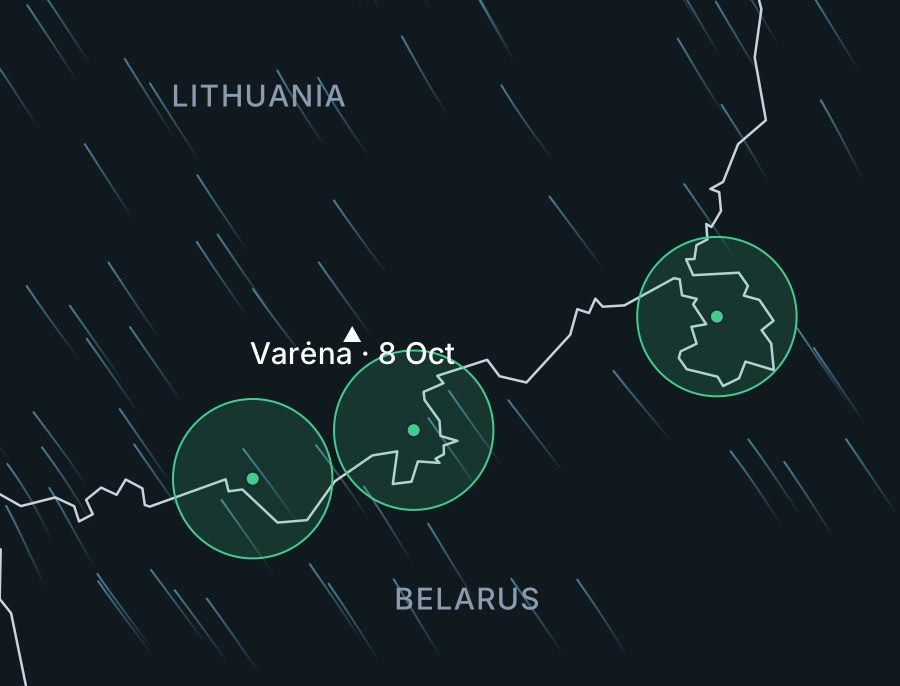
Newsrooms covering Baltic security, border-security analysts, and defence consultancies use custom data overlays to connect their own sensor feeds to AirVeto's live wind map. The Companies tier gives teams a shared organisation account and a direct line for bespoke data requirements.
Ready to connect your data or need help scoping a custom setup? Email hello@airveto.com - or see all plans to compare tiers first.
Technical requirements
- HTTPS only - your API must be served over HTTPS. Browsers block mixed content from HTTPS pages.
- CORS headers - your API must return
Access-Control-Allow-Origin: *or the browser will block the response. - JSON response - must conform to the schema below.
- Pro or Companies plan - custom data sources are free to try after sign-up. A Pro or Companies plan is required to continue.
Response Schema
Your API endpoint must return this JSON shape:
{
  "refresh": 5,
  "points": [
    {
      "id": "station-001",
      "lat": 54.6872,
      "lon": 25.2797,
      "alt": 150,
      "label": "📡 | Active Vilnius",
      "origin": "radar-01"
    }
  ]
}
Fields
| Field | Type | Required | Description |
|---|---|---|---|
refresh | number | no | Poll interval in seconds. Clamped to 2–300s. Default 10s if missing. Drones might use 2, weather stations 60. |
points | array | yes | Array of point objects (see below). Empty array is valid. |
id | string | yes | Stable unique identifier. Max 60 characters. |
lat | number | yes | Latitude in decimal degrees (-90 to 90). |
lon | number | yes | Longitude in decimal degrees (-180 to 180). |
alt | number | no | Altitude in meters (0–100,000). Ground points (0 or missing) render as circles. Airborne points rise to altitude in 3D view. |
heading | number | no | Direction in degrees (0–360, 0 = north). |
speed | number | no | Speed in meters per second (0–1000). Shown in popup if present. |
label | string | no | Text shown in popup. Supports emoji and live data, e.g. 🌧️ | 12°C Kaunas. Max 80 characters. |
color | string | no | Hex color, e.g. #FF6200. Default: #1DB95C. |
origin | string | no | ID of another point. Draws a line from that point to this one. Max 60 characters. |
range_km | number | no | Range ring radius in km, e.g. a sensor's reach. Drawn as a faint circle around the point. |
Rules
pointsmust be an array. Empty array is valid.- Maximum 50 points per response. Extra points are truncated.
- All string fields are sanitized - HTML tags are stripped, length capped.
- Colors must be valid hex (
#RGB,#RRGGBB, or#RRGGBBAA). Invalid colors are ignored. - Numeric fields are clamped: altitude 0–100,000m, heading 0–360°, speed 0–1,000 m/s.
- Points outside valid lat/lon ranges are dropped.
- Your API must respond within 8 seconds or the request is aborted.
How It Works
- Enter your API URL in the Data Sources panel and click Connect.
- AirVeto makes a test request from your browser to validate the response.
- On success, the source is saved to your browser's local storage.
- AirVeto polls your endpoint every 10 seconds by default. Include a
refreshfield in your response to control the rate (2–300 seconds). - Ground points appear as colored circles on the map.
- Airborne points appear as flat circles in 2D. In 3D view, they rise to altitude with shadows below.
- Points with an
originfield draw connection lines to their source.
Authentication
AirVeto does not manage API keys. Two options:
- IP whitelist - configure your API to allow requests from your IP. The browser makes requests directly.
- Query parameter - embed credentials in the URL:
https://api.example.com/data?key=YOUR_KEY. Stored in your browser only.
CORS Setup
Your API must include CORS headers or the browser will block the response entirely. This is the most common issue.
Node.js / Express:
app.use((req, res, next) => {
  res.setHeader('Access-Control-Allow-Origin', '*');
  next();
});
Python / Flask:
from flask_cors import CORS
CORS(app)
Python / FastAPI:
from fastapi.middleware.cors import CORSMiddleware
app.add_middleware(CORSMiddleware, allow_origins=["*"], allow_methods=["GET"])
Nginx:
add_header Access-Control-Allow-Origin *;Examples
Custom APIs are for your own data sources. Aircraft (ADS-B) and satellites (TLE) are already built in. Toggle them in the Data Sources panel.
Drone telemetry
Track a drone's live position. The label field supports any text: live data, status text, or emoji for quick identification.
{
  "points": [
    {
      "id": "drone-01",
      "lat": 54.2341,
      "lon": 25.0128,
      "alt": 120,
      "heading": 315,
      "speed": 8.5,
      "color": "#FF6200",
      "label": "🛸 | 120m Survey Drone"
    }
  ]
}
Radar network with detections
Radar stations on the ground, detected targets in the air. The origin field draws connection lines from origin to target.
{
  "points": [
    {
      "id": "radar-vilnius",
      "lat": 54.6339,
      "lon": 24.9106,
      "color": "#1DB95C",
      "label": "📡 | 12 targets Vilnius"
    },
    {
      "id": "uav-001",
      "lat": 54.58,
      "lon": 25.02,
      "alt": 450,
      "speed": 12,
      "color": "#f87171",
      "label": "⚠️ Unknown UAV",
      "origin": "radar-vilnius"
    }
  ]
}
Weather stations
Ground-based sensors with live readings in the label. No altitude needed. Points render as circles on the map.
{
  "refresh": 60,
  "points": [
    {
      "id": "wx-kaunas",
      "lat": 54.8985,
      "lon": 23.9036,
      "color": "#fbbf24",
      "label": "🌧️ | 12°C Kaunas"
    },
    {
      "id": "wx-vilnius",
      "lat": 54.6872,
      "lon": 25.2797,
      "color": "#60a5fa",
      "label": "☀️ | 15°C Vilnius"
    }
  ]
}
Vehicle / fleet GPS
Track patrol units or research vehicles. Each vehicle has a stable ID.
{
  "points": [
    {
      "id": "unit-alpha",
      "lat": 54.3521,
      "lon": 25.7843,
      "heading": 90,
      "speed": 16.7,
      "label": "🚔 | 60 km/h Alpha"
    },
    {
      "id": "unit-bravo",
      "lat": 54.1892,
      "lon": 25.3017,
      "speed": 0,
      "label": "🚔 | Stationary Bravo"
    }
  ]
}
Create Your API with AI
Not a developer? Paste this prompt into Claude, ChatGPT, or any AI assistant to generate a working API:
Build me a simple API server that returns JSON for AirVeto custom data sources.

Requirements:
- Single GET endpoint at /api/data
- Returns JSON matching this exact schema:

{
  "points": [
    {
      "id": "unique-stable-id",
      "lat": 54.6872,
      "lon": 25.2797,
      "alt": 150,
      "label": "Description text"
    }
  ]
}

- "id", "lat", "lon" are required. "alt" (meters), "label" are optional.
- Maximum 50 points.
- Must include CORS header: Access-Control-Allow-Origin: *
- Must serve over HTTPS.
- Each point's "id" must stay the same between requests.

My data: [DESCRIBE YOUR DATA HERE]

Give me the complete code and instructions to deploy for free on Vercel or Railway.
Limitations
- Browser-only - requests come from your browser. Your API sees your IP address.
- Polling only - every 10 seconds. No WebSocket support yet.
- No field mapping - your API must return the exact schema above.
- Local storage - clearing browser data removes custom sources.
- 50 point cap - per source, per response.
Troubleshooting
| Problem | Cause | Fix |
|---|---|---|
| Connect stays gray | CORS error | Add Access-Control-Allow-Origin: * to your API |
| Points don't appear | Wrong schema | Check points array with id, lat, lon |
| Points flicker | Non-stable IDs | Keep id the same between polls |
| Status dot turns red | API non-200 | Check your API is online |
| URL rejected | HTTP endpoint | Serve over HTTPS (Cloudflare, Vercel, Railway) |
Privacy
- Your API URL is stored only in your browser's local storage.
- AirVeto servers never see or proxy your custom data requests.
- Data is held in browser memory and discarded when you close the tab.
- Other users cannot see your custom data sources.